Witch
Hi all, this is my latest personal project. This one was a lot of fun to make but definitely a lot of work too, as it involved many different elements. I wanted to do a top down camera of a 'battle aftermath' scene, with lots of characters and a feel of chaos in the layout. I created the ground and mud first then made rigged characters to populate it. I've tried to include some breakdowns here so that you can take a look at some of the work that has gone into it.. Thanks for looking!
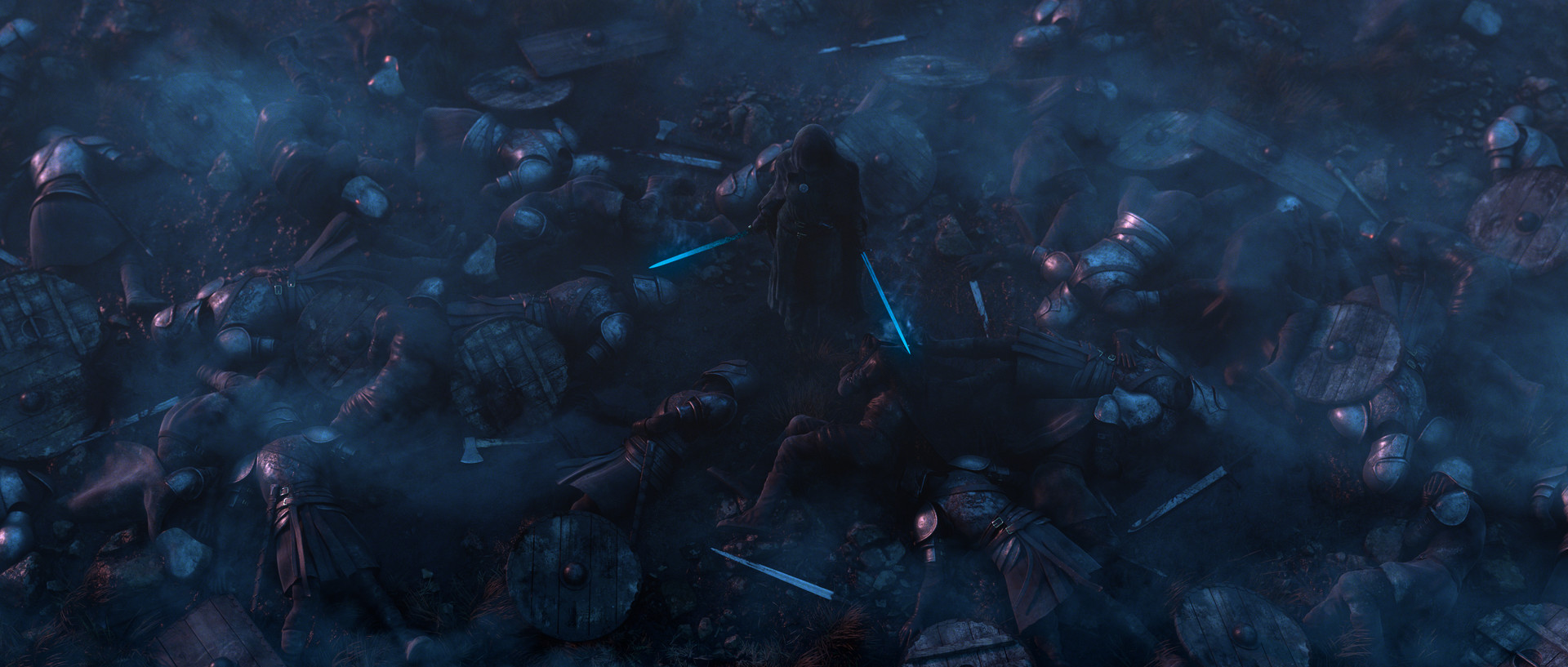
Dusk lighting / grade (final version)

Night lighting / grade

Overcast lighting / grade

I really believe that good art starts with good observation, so when I was starting this scene I went out with my camera to find some reference of muddy and torn up ground. Luckily there was plenty around my local area! This was great for texturing too.

Since this was going to be a big scene, I wanted to be as efficient as I could. All the models are low(ish) poly with displacement maps giving all the necessary high res detail

The rigged armoured soldier formed the base for the fallen soldiers on the battlefield.

For shading, I mainly used layered shaders. In this example, the armour is made by layering up these elements and using procedural textures to mask them.

The clothing also uses a layered shading network, but this time masks were painted to get a more natural looking breakup to the mud splats and dirt. I use a facing ratio fresnel to help get a 'cloth like' effect.

With the main Armoured Soldier added to the scene, the reuse was a bit too obvious, so I made several more soldiers with differing costumes to break it up. Then, shields and weapons are added to further add to the sense of chaos in the battlefield.

Next up, I made the hero character at the centre of the story of the image. The lone survivor of the battle! Was really pleased with how this part turned out :)

With the scene now assembled, the next job is lighting. For outdoor scenes iI like to use a HDR image as the basis for the lighting. This is the Raw Light pass so you can get an idea of what the HDR contributes.

Next up I add a direction light in a new render layer. I like to render out all my lights in separate layers to have more freedom in compositing later. I like to have all the render passes from each light.

I wanted some light to emanate from the swords to give them a magic feel, so I made some geometry lights from the sword geo and set that up to render out into a separate layer too. I also make some key lights for the main character in separate layers.

The final step is comping. My workflow is to separate all the render elements from each light then comp them back together, having editing control of each pass. I like to separate the Raw passes t have control of light colour without effecting diffuse etc